öâ î÷öåòé "43 Philips 43BDL4050D

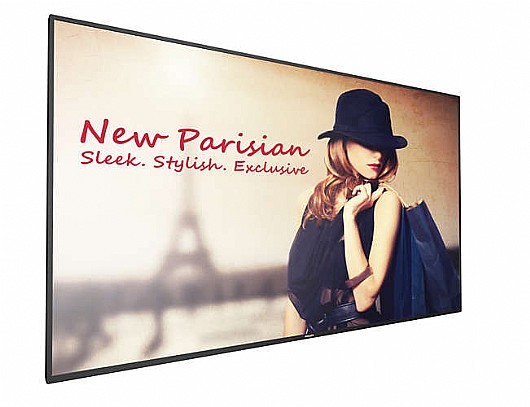
äöâ úåëï çã åáøåø áàåôï éåúø éãéãåúé ìñáéáä áòæøú ñãøú äîñëéí D-Line îáéú Philips. öåø, ðäì åùìåè áúåëï ùìê á÷ìåú åáðåçåú òí CMND ùì Philips, àúä éëåì âí ìäòìåú àú äúåëï ùìê åìðäì àåúå áòðï òí ãôãôï HTML5 îåáðä àå ùúùîåø àåúå á- 16GB ùì æéëøåï ôðéîé îåáðä ùîáèéçéí ùäúåëï ùìê úîéã éäéä îåöâ âí àí äøùú ÷åøñú.
åòí Wi-Fi îåáðä åîòøëú äôòìä Android àúä éëåì ìäøéõ àú äàôìé÷öéä ùìê àå ëì àçú àçøú ìáçéøúê.

îàôééðéí åùéãøåâéí:

ôøèéí ðåñôéí:

  • àçøéåú: 12 çåãùéí
  • æîï àñô÷ä: òã7éîé òñ÷éí
  • ãâí: 43BDL4050D
ì÷áìú ôøèéí ðåñôéí éù ìäú÷ùø ì03-6909700
  • +
  • -
visaisracardmastercarddinersamerican express
  • Wi-Fi
  • 24/7

Chasing innovation

powered by Android

  • Save and play content with internal memory

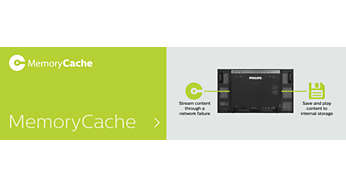
    Save and play content with internal memory

    Save and play content with internal memory. Upload your media into the display and playback content immediately. Working in conjunction with the internal browser, it also serves as a memory cache when streaming online content. If the network ever fails, the internal memory keeps content running by playing a cached version of the content, ensuring that your media stays up even if the network goes down.

  • Keep your content up and running with FailOver

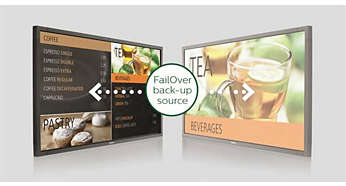
    Keep your content up and running with FailOver

    Keeping your content up and running is critical for demanding commercial applications. While it is unlikely you will face a content disaster, FailOver provides content protection with a revolutionary technology that plays back-up content on screen in the event of a media player failure. FailOver automatically kicks in when the primary input fails. Simply select a primary input connection and a FailOver connection and your ready for instant protection.

  • SmartPower for energy saving

    SmartPower for energy saving

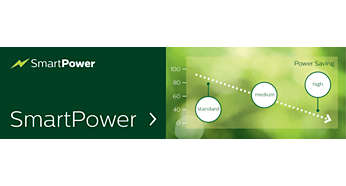
    The backlight intensity can be controlled and pre-set by the system to reduce the power consumption by up to 50%, which saves substantially on energy costs.

  • CMND: Take control of your displays

    CMND: Take control of your displays

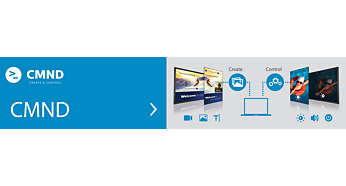
    A robust display management platform, CMND puts the power back into your hands. Update and manage content with CMND & Create or control your settings with CMND & Control. It's all possible with CMND.

  • Create and update content with CMND & Create

    Create and update content with CMND & Create

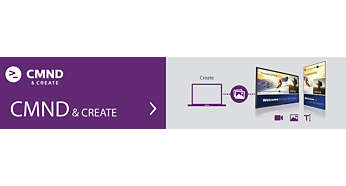
    Design and create compelling content with CMND & Create, a powerful authoring tool. With a drag and drop interface, preloaded templates, and integrated widgets, you'll be able to amaze your customers with compelling content. Available in portrait and landscape mode.

  • Manage settings of multiple displays with CMND & Control

    Manage settings of multiple displays with CMND & Control

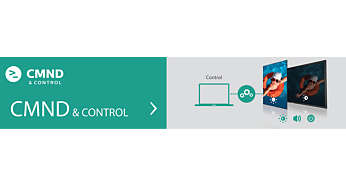
    With CMND & Control, easily manage multiple displays in a central location. With real time display monitoring, setting and software updates from a remote location, and the ability to customize and configure multiple displays at once, such as video wall or menu board displays, controlling your suite of displays has never been easier.

  • Connect and control your content via the cloud

    Connect and control your content via the cloud

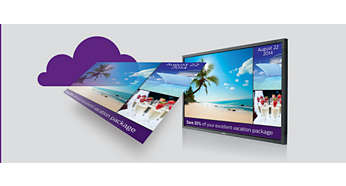
    Connect and control your content via the cloud with the integrated HTML5 browser. Using the Chromium based browser, design your content online and connect a single display, or your complete network. Show content in both landscape and portrait mode, with fullHD resolution. Streaming content can also be shown in a PIP (picture-in-picture) window. Simply connect the display to the internet using WiFi or with an RJ45 cable, and enjoy your own created playlists

  • Android: Run your own app or choose your favorite app to run

    WIth Android OS integrated into the display, you can work with the most developed OS on the planet and save your own app directly into the display. Or, choose from the large library of Android apps and play content from there. With the built-in scheduler, you can daypart your apps and content based on your customer and time of day and with the auto orientation feature, showing content in portrait or landscape is as simple as turning the display.

  • Enhance your connectivity with an integrated mPCIe slot.

    With an integrated PCI slot, you can connect a WiFI/bluetooth or 4G LTE module, allowing for even greater communication with the display. Machine to machine communication is also enhanced, with numerous configurations available for customers to use, such as the ability to expand product features or signal-handling capability.

  • Ensure your content is running with automatic screenshots

    Content is king, and with the automatic screenshot feauture, you can make sure that your content is up and running at all times. Screenshots are taken throughout the day, which are then stored in the FTP server. From there, the screenshots can be viewed no matter when, or where you are.

éöøï: Philips
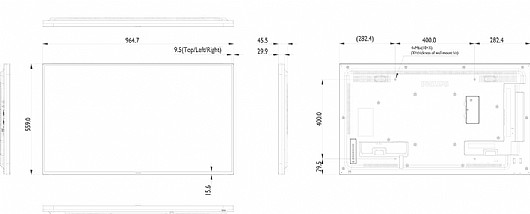
âåãì îñê: "43
øæåìåöéä î÷ñéîìéú: 1920x1080
øåçá îñâøúÒÑ(BEZEL): 6-10mm
USB 2.0: 1
ðéâåãéåú: 1:1100
áäéøåú: 450nits
øî÷åìéí: îåáðä
Wi-Fi: Wi-Fi
çéáåøéí: HDMI, DVI, VGA, DP
æîï äôòìä øöåó: 24 ùòåú áéîîä

çååú ãòú òì äîåöø

îîåöò ãéøåâ îåöø ( çååú ãòú âåìùéí) , ëúåá çååú ãòú ìîåöø
ñîï àú äîåöøéí ùáøöåðê ìäåñéó åìçõ òì ëôúåø

ì÷åçåú ùøàå îåöø æä ÷ðå âí...

ìà îöàúí àú îä ùçéôùúí? äùàéøå ôøèéí åðçæåø àìéëí áä÷ãí!

äùàéøå ôøèéí åðçæåø àìéëí áä÷ãí

äöèøó ìîåòãåï äì÷åçåú ùìðå